Work in context
Keep the source information visible while recording the applicable details. Copy identifiers, timestamps, tool information, and observations directly from the examination instead of reconstructing them later.
ByteCase Hub 0.29.0 · Windows pilot available
The first signed ByteCase Hub installer is available for Windows. Bring case documentation, verification, and workflow records into one local workspace. Request a signed offline license to begin new case work.

First downloadable Hub release · 0.29.0
Download the signed Windows pilot, review existing saved cases, and request a 60-day trial or annual Hub Local license for new case work. License requests are reviewed by a person and activation works offline.
Second-monitor workflow
Capture the record while the work is still in context.
ByteCase is designed to sit beside the forensic tools examiners already use. Keep the extraction, analysis, or review platform open on the primary monitor, then use ByteCase on the second monitor to document the work as it happens.
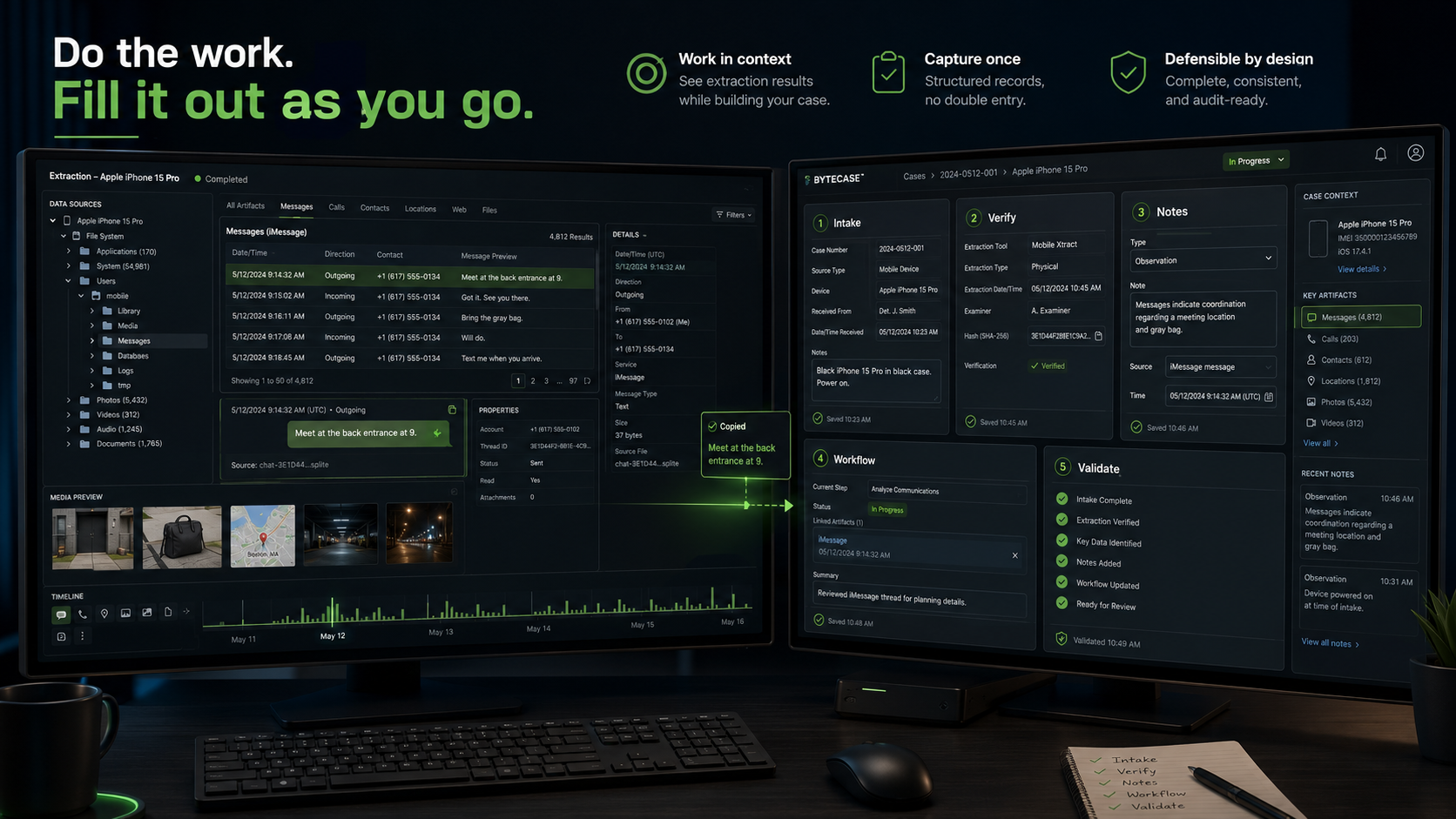
Keep the source information visible while recording the applicable details. Copy identifiers, timestamps, tool information, and observations directly from the examination instead of reconstructing them later.
Enter the record when the work occurs. ByteCase modules are intended to preserve reusable local records instead of forcing the examiner to repeat the same information across temporary notes and final reports.
ByteCase complements the primary forensic platform without interrupting extraction or analysis. Open the module needed for the current task, save the record, and continue the examination.
How ByteCase fits
ByteCase does not perform the extraction, parse the evidence, or decide what an artifact means. It helps preserve the request, acquisition details, integrity checks, examiner-authored observations, validation history, and workflow status surrounding the technical work.
See how ByteCase runs →Hash Manifest and Verification Tool
A one-time hash result is easy to lose and difficult to reproduce when evidence must be checked again before review, handoff, disclosure, or court.
9f86d081884c7d65...The workflow gap
Acquisition and analysis tools are only part of the case. Examiners still manage requests, acquisition records, case folders, notes, saved hashes, later verification, exhibits, timelines, validation records, and closeout tasks across disconnected files.
ByteCase is being built for the structured work around the tools examiners already trust.
A modular case workflow
Pilot Release
Case and Module Orchestration
Separate workflow utilities still require examiners to locate cases, reopen tools, and remember which outputs already exist.
Pre-release Ready
Digital Forensics Request Builder
Incomplete forensic requests force examiners to chase case, authority, scope, device, attachment, and handoff information before work can begin.
Acquisition Packet Generator
Acquisition details are often split across handwritten notes, screenshots, tool logs, report fragments, and examiner memory.
Hash Manifest and Verification Tool
A one-time hash result is easy to lose and difficult to reproduce when evidence must be checked again before review, handoff, disclosure, or court.
Structured Examiner Notes Workspace
Examiner notes often become fragmented across text files, screenshots, handwritten records, temporary documents, and memory.
Laboratory Tool Validation Repository
Validation records and reference material are often scattered across spreadsheets, screenshots, vendor documents, research papers, and institutional memory.
Active Development
Case-Folder Workflow Status and Next-Step Guide
Examiners may need to repeatedly inspect a case folder and reconstruct which documentation steps are complete, missing, waiting, or not applicable.
Examiner Education and Workflow Coaching
Forensic training is often split between static references, occasional classes, informal mentoring, local procedures, and experience gained under pressure.
Product Design
Case Presentation and Exhibit Builder
Turning selected forensic findings into a clean presentation or exhibit packet is repetitive and disconnected from case documentation.
Manual Case Timeline Builder
Examiners often need a focused timeline of important events without committing to another automated artifact parser.
Case Completion and Readiness Review
Missing reports, manifests, notes, or handoff records may not be discovered until a case is being archived, transferred, or revisited.
Built beside the forensic stack
ByteCase does not parse evidence, perform extractions, automate artifact interpretation, or make investigative conclusions. It helps structure the request, document the acquisition, preserve verification records, organize examiner-authored notes, and track the work surrounding established forensic platforms.
One case folder
Each module can save its own records inside a shared ByteCase case structure. Hub already uses shared case context to show saved module records and workflow status. Future modules can extend that structure where integration adds value.
ByteCase/
└── 2600001/
    ├── bytecase-intake/
    ├── bytecase-acquire/
    ├── bytecase-verify/
    ├── bytecase-notes/
    ├── exhibits/
    ├── timeline/
    └── reports/
Transparency and trust
ByteCase Hub 0.29.0 is published as a Windows pilot. Its installer identifies Forensics Byte as the publisher and has a published SHA-256. Standalone tools retain their public source repositories; Hub is a licensed product.
ByteCase by Forensics Byte
Follow development, inspect the code, test the tools, and help shape a practical workflow suite for digital forensic casework.